Avant
- 4.7
- Rating
- 500.00K
- Installs
- Free
- Price

 Analysis by App-foxy
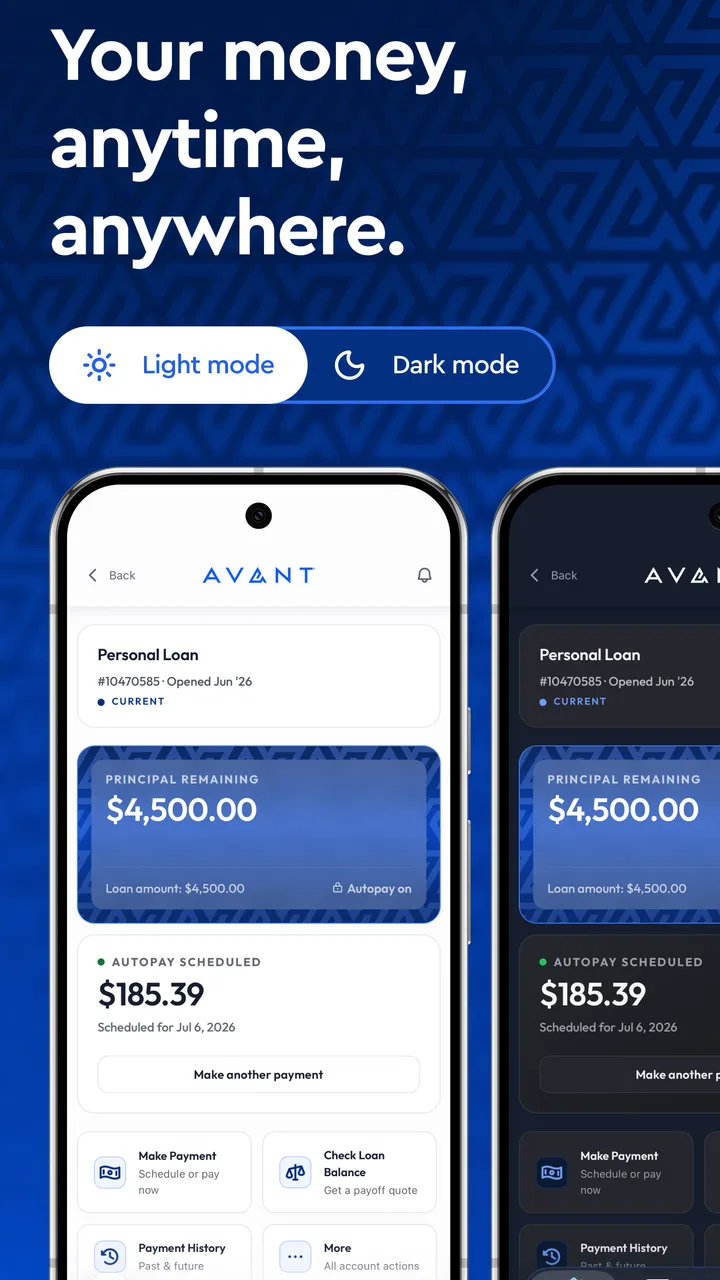
Managing a credit card or loan from a phone sounds simple, but the quality of the experience depends on how quickly you can find the one detail you need when a payment is due or a transaction looks unfamiliar. I spent time looking at Avant as a finance app from that practical angle: not as a replacement for every budgeting tool, but as a focused place to handle an Avant account without opening a browser. My overall impression is that it is most useful when you already use an Avant card or loan and want a direct mobile control panel.
The app is free to install and is rated for Everyone, so it is approachable for a broad range of users. It comes from Avant, LLC, and its central purpose is clear: checking account activity, making payments, and handling basic card or loan tasks in one place. That narrow focus is important. I would not choose it as my main household budgeting app, but I can see the appeal of having a dedicated account tool rather than mixing loan management with unrelated financial services.
How Avant feels during ordinary account checks
I find the ordinary account-checking experience most useful when I treat it as a quick review, not just a glance at a balance. This section looks at how a focused app can fit into small daily routines and why a little patience matters when account information is updating. That practical view also sets up a closer look at the controls and choices that shape a more careful payment workflow.
You May Also Like

 Google Keep - Notes and lists
Google Keep’s Quiet Growth Shows the Appeal of Simpler Notes
As mobile work gets busier, Google Keep keeps winning a simple contest: capture a thought quickly, find it later, and get on with the day.

 Blood Strike: 2.5 Anniversary
Blood Strike’s Loadouts Turn Every Drop Into a Tactical Gamble
A close look at Blood Strike’s custom loadouts: how fast access to signature weapons reshapes its battle royale rhythm, rewards preparation, and narrows the gap between fights.

 Pandora - Music & Podcasts
Pandora’s Music Is Easy to Start, but Harder to Recover
Pandora’s strength is its low-effort path from a seed to a station. Its weak spot is how much confidence it asks you to place in connection, setup, and quiet recovery.

 8 Ball Pool
 Is Built on Rivalries, Rematches, and Routine
A close look at the rivalries, rematches, shared routines, and unanswered safety questions that turn a quick pool match into a persistent mobile community.

 Samsung Music
’s Quiet Strength Is Playing What You Already Own
Its reach comes less from spectacle than from dependable access to a personal library. That simplicity is both the app’s strongest retention engine and its ceiling.

 AccuWeather: Weather Radar
AccuWeather Review: A Quick, Clear Forecast for Everyday Decisions
For everyday plans, the best forecast is the one you can understand quickly. AccuWeather makes rain timing, radar, and local conditions easy to act on, with a few trade-offs.
More From Our News Desk



Speed expectations when you only need the essentials
For routine use, the most important question is whether the app gets you to your balance, transactions, or payment area without unnecessary wandering. Avant is designed around those account actions, which gives it a more purposeful feel than a broad financial dashboard filled with investment charts, spending categories, and promotional material. When I imagine checking an account before leaving home, the smaller scope works in its favor: there are fewer kinds of information competing for attention.
That does not mean every screen will feel instant in every situation. Finance apps depend on account information being retrieved securely, and the visible result can be affected by network conditions, maintenance, or the need to refresh account details. I would judge the experience by whether the app lets me confirm the important information clearly, not just by how quickly the first screen appears. A fast opening screen is of limited value if I still have to search for the payment status.
One useful habit is to open the transaction area before making a payment, especially if you are trying to reconcile a recent purchase. That gives you a clearer starting point than relying on memory. Afterward, checking the payment area again can help you distinguish between an action you submitted and one that has fully appeared in the account history. I would not treat a tap or confirmation screen as a substitute for reviewing the resulting account status.
The app’s average rating is 4.6 from roughly 52 thousand ratings, which suggests that many users find the basic experience satisfactory. I treat that as a helpful signal rather than a guarantee. A finance app can feel excellent for someone who only checks a balance twice a month and frustrating for someone who needs detailed planning tools every day. The right measure is whether its focused workflow matches your own financial routine.
What happens during heavier-use moments
The most demanding moments are not necessarily long sessions. They are the short, stressful ones: a payment deadline is close, several transactions need checking, or you are trying to understand why the available balance does not look the way you expected. In those situations, a simple layout matters more than a large feature count. I prefer to see account actions presented plainly rather than having to navigate through a general-purpose financial hub.
A realistic example is a user who receives a purchase notification while commuting. They open Avant, review the recent transaction list, compare the amount with the receipt, and then check whether a scheduled or completed payment is visible. That sequence is more useful than simply opening the app and closing it after seeing a balance. It creates a small verification routine: identify the transaction, confirm the account context, and then decide whether any payment action is needed.
Another practical scenario is preparing for a monthly payment while away from a computer. The app can be convenient because the task stays on the phone, but I would still avoid leaving it until the last possible moment. Mobile convenience should reduce friction, not encourage rushed decisions. Give yourself enough time to review the amount and the account information before confirming anything, particularly when the payment affects a tight monthly budget.
Where the experience may feel limited is for people who want to perform several kinds of financial analysis in one sitting. Avant’s purpose is account management, not a complete financial command center. If you want automatic categorization across multiple banks, long-term savings projections, or a detailed debt payoff plan, a dedicated budgeting service or spreadsheet may be a better companion. Using Avant for those jobs would likely make the experience feel narrower than it needs to be.
Reliability and the habits that protect you
Reliability in a finance app has two parts. The first is whether it opens and responds consistently. The second, and more important one, is whether you can trust what you see enough to make a responsible decision. Since account information can change, I would always distinguish between viewing a transaction and confirming the final state of a payment. That distinction is easy to overlook when you are trying to finish quickly.
My preferred workflow is deliberately cautious. I check the account before starting a payment, read the confirmation details instead of tapping through automatically, and return to the account afterward when the app makes the updated information available. I also keep any confirmation information that appears on screen until I am satisfied that the action is recorded. This is not a criticism unique to Avant; it is a sensible approach for any app handling credit or loan payments.
If the app seems slow or an account screen does not refresh as expected, I would avoid repeatedly submitting the same payment. Repeating an action because the result is not immediately visible can create confusion and may lead to an avoidable duplicate attempt. Instead, I would pause, verify the transaction history or payment area, and try again only when I understand what happened. That recovery habit is one of the most valuable pieces of advice I can give a new user.
The product has more than 500 thousand installs, and its current version is 4.6.6. Those figures indicate an established mobile presence, but they do not remove the need for sensible account checks. An app can be widely used and still encounter an occasional network or device-specific problem. I would keep the app updated through the normal store process and make sure my phone has a stable connection before handling a time-sensitive payment.
Device constraints and the practical setup
Avant supports Android devices running version 6.0 or later. That gives it a broad compatibility range, including many older phones, although compatibility alone does not guarantee an equally smooth experience on every device. Older hardware may take longer to open apps or switch between screens, especially when storage is nearly full or several other apps are active.
If you use an older phone, the best preparation is simple: keep enough free storage, close apps that are consuming unusual resources, and avoid performing an important payment while the device is struggling with a system update or an unstable connection. These steps do not add features, but they reduce the chance of mistaking a device problem for an account problem.
I also recommend treating a shared or borrowed phone differently from your personal device. A finance app should be used only on a device you control, with the phone protected by its normal lock screen. Avoid saving sensitive account information in notes or screenshots merely because you want a quick reference later. The convenience of mobile access is strongest when it is paired with basic device discipline.
Compared with a browser, a dedicated app can feel more direct for repeated checks because it keeps the account workflow close at hand. The browser remains useful when you are on a computer, reviewing several documents, or working with multiple financial institutions at once. Avant therefore fits best as a mobile companion for its own card or loan rather than as the only place you manage every part of your financial life.
Where it fits beside ordinary alternatives
The usual alternatives fall into three groups: a mobile browser, a bank’s general app, and a separate budgeting application. A browser is flexible and avoids adding another app, but it can be less convenient when you regularly check the same account from a phone. A bank app may provide a wider view of your money, yet it may not give an Avant card or loan the same focused treatment. A budgeting app can show the bigger picture, but it is not necessarily the best place to make or verify an Avant payment.
That comparison helped me define the app’s strongest role. It is not trying to be a financial planner. It is a dedicated access point for people whose immediate concern is an Avant account. If you already have another tool for spending analysis, keeping both can make sense: use Avant for account-specific actions and the budgeting tool for broader decisions.
The trade-off is that you may need to move between apps. Someone who wants one dashboard for checking accounts, cards, loans, investments, and household categories may find that arrangement inconvenient. In that case, a broader financial app could be a better primary tool, while Avant remains available for account details that need to be handled directly.
Who should use it, and who should skip it
I would recommend Avant to an existing Avant customer who wants a straightforward way to view transactions and manage a card or loan from a phone. It is also a sensible choice for someone who prefers a dedicated account app over remembering a mobile website route. The free price removes a common barrier to trying it, and the Everyone age classification makes the basic access proposition uncomplicated.
I would be more cautious about recommending it to someone who is still choosing a financial product and expects the app itself to explain every borrowing decision. An account-management app is not a substitute for carefully reviewing loan terms, payment obligations, or your own budget. The convenience of making a payment should never be confused with evidence that the payment is affordable.
I would also skip it as a standalone solution if your main goal is advanced budgeting. You will likely want another tool for comparing income with expenses, setting flexible category limits, or viewing several institutions together. Avant can still play a supporting role, but it should not be forced to become something it is not.
Small workflows that make the app more useful
My first tip is to create a repeatable payment-check routine rather than using the app only when something feels urgent. Open the account, review recent activity, inspect the payment information, and leave only after the status makes sense. This turns a vague glance into a reliable habit and makes unusual activity easier to notice.
My second tip is to use transaction review as a reconciliation step. When you receive a receipt or remember a purchase, compare it with the entry in Avant instead of waiting for a monthly surprise. This is especially helpful when several purchases have similar amounts. The point is not to obsess over every screen, but to use the app’s account-specific view to keep your records aligned.
My third tip concerns recovery. If a screen stops responding during a payment task, do not immediately repeat the action. First reopen the account or check the relevant history, then decide whether another attempt is necessary. This simple pause is more valuable than chasing speed, because financial actions need clarity as well as responsiveness.
A fourth useful distinction is between an app that helps you act and one that helps you decide. Avant appears better suited to the first job. I would use a separate written budget or planning tool before deciding how much debt I can comfortably carry, then use Avant to manage the resulting account activity. Keeping those roles separate makes the mobile experience easier to understand.
My performance verdict
Avant’s performance appeal comes from focus rather than from a long list of tools. Its purpose is easy to understand, its mobile format suits quick account checks, and its established presence is reflected by over 500 thousand installs and an average rating of 4.6. I like it most for the moments when I already know what I need to do: inspect transactions, check an account, or handle a payment without reaching for a computer.
Its limitations are equally clear. It is not the right choice for full financial planning, and a dedicated app cannot guarantee that every account update will appear instantly under every network or device condition. Users who need a single view of many institutions may prefer a broader alternative. Users with older phones should also keep their device in good working order rather than assuming the minimum operating-system support tells the whole performance story.
For the right audience, I would keep Avant installed because it turns an Avant card or loan into something easier to monitor in everyday situations. The strongest experience comes from using it deliberately: review before paying, confirm afterward, and use another tool when the question is about long-term budgeting rather than account handling. That balance makes it a practical finance app, not an all-purpose answer to every money problem.
In short, I see it as a focused utility with sensible everyday value. It is free, accessible on older Android versions, and built around the tasks an Avant customer is most likely to repeat. If those tasks match your needs, the app should feel more useful than a general alternative. If your needs extend far beyond one Avant account, keep it as a companion rather than expecting it to replace your entire financial toolkit.
FAQs for Avant
01What is Avant and what are its main features?
Avant is a cutting-edge productivity app designed to streamline task management and enhance workflow efficiency. Key features include customizable task lists, calendar integration, real-time collaboration tools, and AI-driven scheduling suggestions. It caters to both individual users and teams, offering a flexible platform for organizing daily activities and long-term projects.
02Is Avant available on both Android and iOS platforms?
Yes, Avant is available for download on both Android and iOS devices. It provides a seamless user experience across platforms, allowing users to sync their data and access their tasks on any device. This cross-platform compatibility ensures that you can stay productive no matter where you are.
03Does Avant offer any free version or trial period?
Avant offers a free version with basic features to get you started on managing your tasks. For users looking for advanced functionalities, there is a premium version available. Additionally, Avant provides a 14-day free trial of its premium features, allowing users to fully explore its capabilities before committing to a subscription.
04How does Avant handle user data and privacy?
Avant takes user privacy seriously and has implemented robust security measures to protect personal data. It complies with international data protection regulations, ensuring that your information is safe. Data is encrypted during transmission and storage, and users have control over their privacy settings within the app.
05Can Avant be used for team collaboration, and how effective is it?
Yes, Avant is designed with team collaboration in mind. It includes features like shared task lists, real-time updates, and communication tools that foster teamwork. Users report that Avant significantly improves project coordination and communication, making it an effective tool for businesses and project teams who need to stay aligned.
Pros
- User-friendly interface for easy navigation.
- Wide range of features for creative editing.
- Regular updates with new tools and effects.
- Supports high-resolution outputs for projects.
- Offers seamless integration with cloud services.
Cons
- Limited free version with basic tools only.
- Occasional lag on older devices.
- Ads may interrupt workflow in free version.
- Subscription model can be costly over time.
- Requires internet for some advanced features.

Avant
Gallery